通过node服务执行bash脚本
你有没有某个时间段,需要频繁的登录服务器来执行一些重复的验证命令?本篇文章介绍通过nodejs启动一个http服务,通过调用这个服务来批量执行一些脚本。
目标
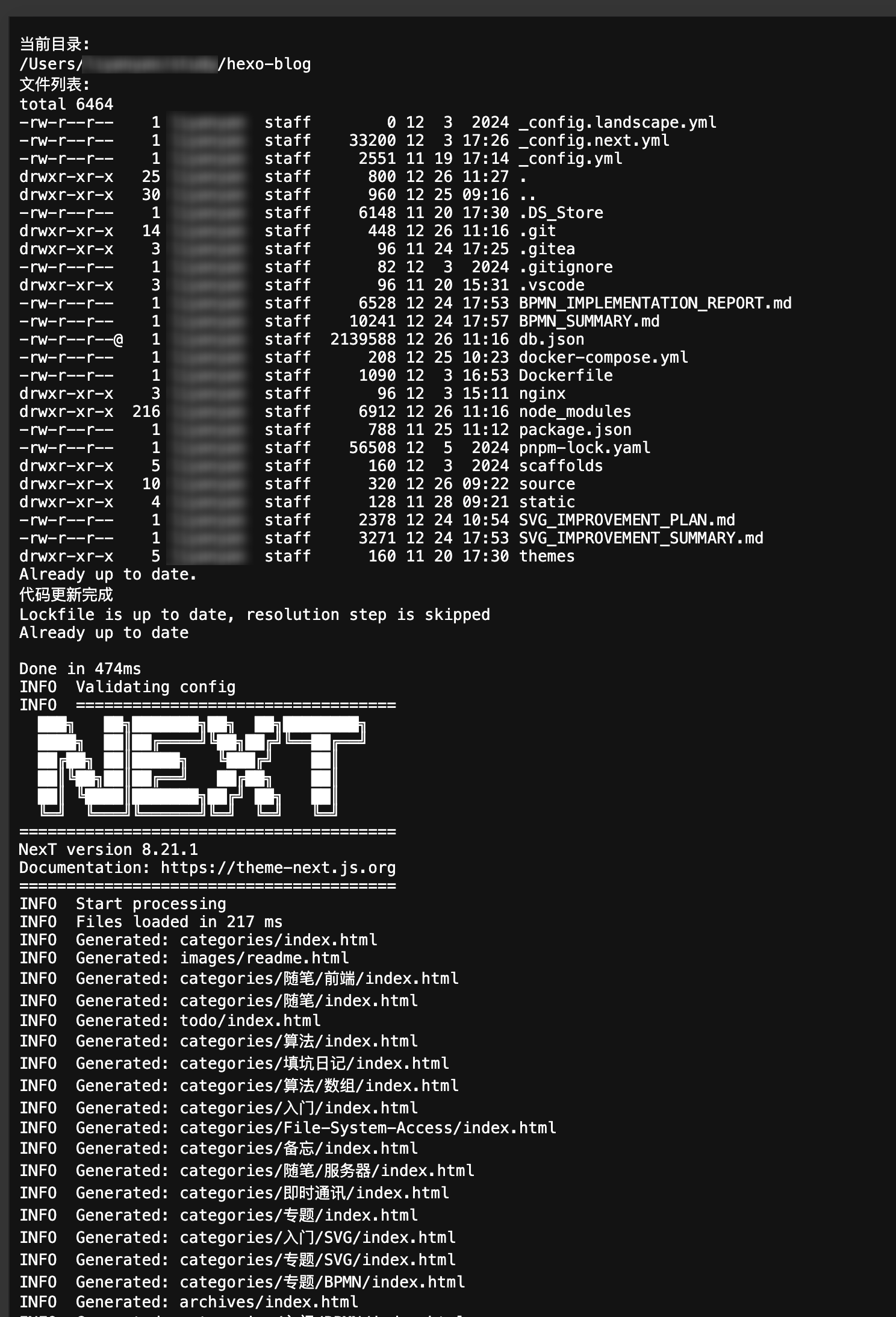
请求指定URL后,工作目录切换到服务器某项目文件夹,打印当前路径和文件夹内容,更新代码,更新依赖,然后执行打包操作。1
2
3
4
5
6
7
8
9
10
11
12const WORK_DIR = '/Users/xxx/hexo-blog'; // 指定工作目录
const COMMANDS = `
cd ${WORK_DIR} &&
echo "当前目录:" &&
pwd &&
echo "文件列表:" &&
ls -al &&
git pull &&
echo "代码更新完成" &&
pnpm i &&
npx hexo g
`; // 组合命令示例服务端
1
2
3
4
5
6
7
8
9
10
11
12
13
14
15
16
17
18
19
20
21
22
23
24
25
26
27
28
29const http = require('http');
const { spawn } = require('child_process');
const PORT = 63000;
const server = http.createServer((req, res) => {
res.writeHead(200, {
'Content-Type': 'text/plain; charset=utf-8',
'Transfer-Encoding': 'chunked',
});
const child = spawn('/bin/sh', ['-c', COMMANDS], {
cwd: WORK_DIR, // 显式设置工作目录
});
child.stdout.pipe(res);
child.stderr.pipe(res);
req.on('close', () => {
child.kill('SIGTERM');
});
});
// 确保目录存在
require('fs').mkdirSync(WORK_DIR, { recursive: true });
server.listen(PORT, () => {
console.log(`Multi-command executor running at http://localhost:${PORT}`);
console.log(`Working directory: ${WORK_DIR}`);
});浏览器
1
2
3
4
5
6
7
8
9
10
11
12
const el = document.getElementById('container');
fetch('http://localhost:63000').then(async res => {
if (!res.body) throw new Error('流失获取数据失败')
let reader = res.body.getReader();
while(true) {
const { done, value } = await reader.read();
const decoder = new TextDecoder();
const str = decoder.decode(value);
el.innerHTML += str;
if (done) break;
}
})效果图